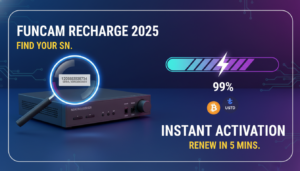
Seeing the “code expired” message on a Mediastar Forever TV box can be frustrating, especially when you rely on the service for daily entertainment. The message simply means the server licence attached to your receiver has reached the end of its authorised period. In this guide we explain the common reasons behind an expiry, show you how to locate the serial number of any receiver, and walk you through the two official renewal paths offered by RENEW‑FOREVER.
Why does a Mediastar Forever TV code expire?
Every satellite receiver that runs a Mediastar Forever server is linked to a licence file stored on the box. The licence contains an expiration date that is set when the server is first activated. The expiry is intentional and serves several purposes:
- Licensing control: Content providers grant access for a defined period. When the date passes the server must be refreshed to stay compliant.
- Security and stability: Regular renewals allow the provider to push updated encryption keys and security patches, reducing the risk of unauthorised access.
- Service continuity: A fresh licence ensures the box can reconnect to the latest server version and retrieve the full channel list.
If the box is not renewed before the date, the system will display the “code expired” warning and stop decoding the streams.
How to find your receiver’s serial number
The serial number is the key identifier that tells the renewal system which servers your box supports and when the current licence ends. Follow these generic steps (the exact menu names can differ between brands such as Starsat, Tiger, Geant or GTMEDIA):
- Power on the receiver and open the main menu.
- Navigate to the system information or about section – this is usually found under Settings or Device Info.
- Locate the field labelled Serial Number (it may be a long alphanumeric string).
- Write it down exactly as shown.
Once you have the serial, go to the check your device page, enter the number and press the button to view the compatible servers and the current expiry date.
Renewal options – crypto payment or local seller
RENEW‑FOREVER offers two official ways to extend the licence. Both methods apply the new licence automatically; you only need to restart the box afterward.
1. Direct crypto payment
After you have identified the compatible server (Apollo, VIP / VIP2 Package, GTMEDIA MARS, NASHARE, NETFLY, Funcam or Forever), follow these steps:
- Select the desired server from the list shown on the device check page.
- Choose a renewal duration from the options presented.
- Proceed to the payment screen and pay with a supported cryptocurrency (USDT or other listed coins). The transaction is processed by the site, and once confirmed the licence is pushed to your box.
There is no need for a bank account or cash outlet – the whole process stays online.
2. Local seller via the marketplace
If you prefer to pay in your local currency, the marketplace lists independent sellers from many countries. The workflow is slightly different:
- Browse the marketplace and pick a seller who offers the server you need.
- Contact the seller through the platform to obtain their payment instructions (bank transfer, mobile money, etc.).
- Pay the seller using the method they specify.
- Upload the payment proof on the marketplace page as instructed.
- The seller will then apply the renewal to your serial number.
RENEW‑FOREVER does not handle the local payment directly, but the marketplace ensures the seller receives the funds and completes the renewal on your behalf.
After the renewal – what to do next
Once the payment is confirmed and the licence has been applied, perform these simple actions:
- Power off the receiver, wait a few seconds, and turn it back on.
- Make sure the box stays connected to the internet (Wi‑Fi or Ethernet) for at least a minute so it can download the updated licence file.
- If the channel list does not reappear, open the live chat on the RENEW‑FOREVER website and provide the serial number along with a brief description of the issue. The support team will guide you through any additional steps.
Regularly checking the expiry date via check your device can help you plan renewals before the code stops working.
FAQ
My box shows “code expired” but I still see a few channels. Why?
When a licence expires the decoder may still display cached streams for a short period. As soon as the box attempts to load a new channel, the server will reject the request, and the “code expired” warning reappears. Renewing the licence restores full access.
Can I switch from one server to another during renewal?
Yes. The check your device page lists all servers compatible with your receiver. When you start a renewal you can select a different server from the compatible list, and the new licence will replace the old one.
What should I do if the seller on the marketplace says the payment was received but my box is still not renewed?
First, verify that the serial number you provided matches the one on the receiver. Then, ask the seller to confirm the exact time they applied the licence. If the issue persists, open a live‑chat ticket on the RENEW‑FOREVER site and share the seller’s name, your serial number and any payment proof. The support team will coordinate with the seller to resolve the mismatch.