The 7° West orbital position is one of the most popular in the Middle East and North Africa, home to Nilesat and Eutelsat satellites that together carry a huge line-up of Arabic, sports, news and entertainment channels. This guide explains what you get at 7°W, the dish and LNB settings you need, and how to keep your server subscription active so the channels never stop.
What is Nilesat 7°W?
7°W is a co-located “hotspot” — several satellites parked at the same position so a single fixed dish can receive all of them. For viewers across the MENA region it is the go-to position for free-to-air and subscription Arabic television, including major general-entertainment, movie, kids and sports bouquets.
Dish & LNB settings
- Position: 7° West
- LNB type: Universal Ku-band (9.75 / 10.60 GHz local oscillator)
- Dish size: 60–90 cm is enough across most of the MENA footprint; use a larger dish at the edges of coverage.
- Polarity: both Vertical and Horizontal transponders are used, so make sure 13V/18V switching works on your receiver.
After pointing the dish, run a blind scan or load the latest transponder list on your receiver to pull in every available channel.
Why channels sometimes disappear
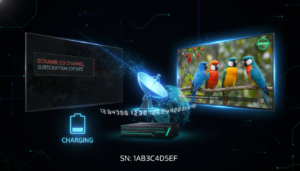
If your receiver uses a server subscription (VIP Package, Funcam, IKS, Nashare and similar), encrypted channels only stay open while that subscription is active. When it expires, the picture freezes or shows a “scrambled” message even though your dish is perfectly aligned. The fix is simply to renew the server for your device.
How to keep your subscription active
Renewal is tied to your device serial number, not to the dish. You can check what your device supports and renew it online in a couple of minutes:
- Check your device to see the exact plans available for your serial.
- Renew the plan your device supports — VIP Package, NETFLY, Nashare, Apollo and more.
- Turn on free expiry reminders so you never lose channels mid-match again.
Renew in minutes: enter your device serial on our Check Your Device page to see every plan available for it, then renew instantly. Need help? Our support is available 24/7.