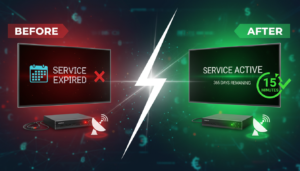
One of the biggest complaints from satellite customers outside the US is this: your receiver comes with a “Recharge Online” button, but when you click it, you land on an English-only site that only takes PayPal or international Visa. You don’t have PayPal. Your Visa is restricted to local use. You end up scrolling Facebook for hours trying to find someone in your country who will take your local payment and recharge you in exchange.
The RENEW-FOREVER Marketplace solves this for good. Here’s how.
Why local currency matters
Every cross-border transaction takes 3–8% in hidden fees: currency conversion spread, SWIFT fees, your bank’s “international transaction” fee, and the receiving bank’s fee. On a $20 renewal, that’s up to $1.60 lost — worse than the 5% commission our sellers pay us. Paying a local seller in local currency eliminates all of it.
It’s also faster. A Vodafone Cash transfer is instant. A bank wire is 2–5 business days. Crypto is instant-ish but requires you to own crypto in the first place.
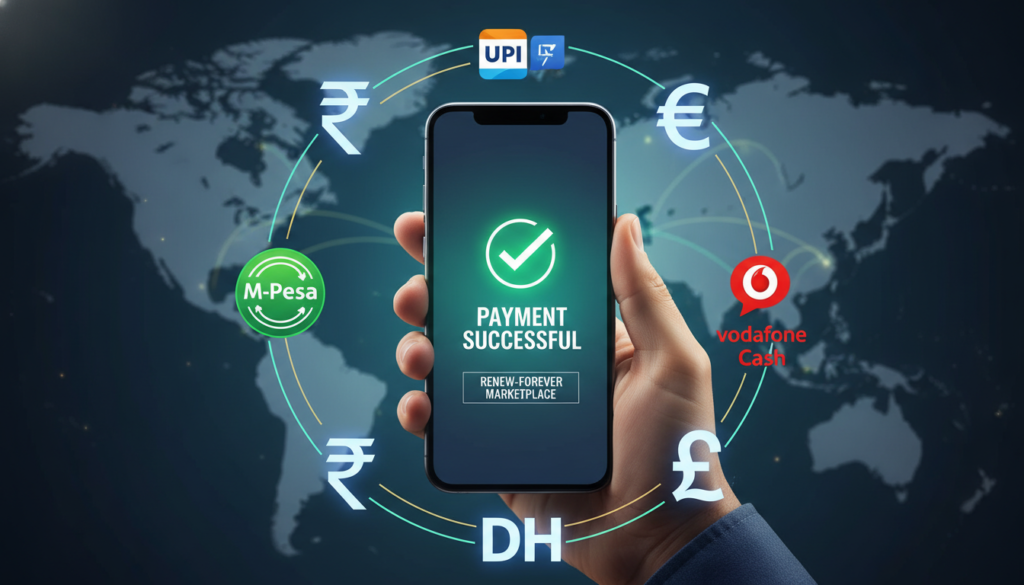
What local methods can I pay with?
Here’s a non-exhaustive list of what our current sellers accept, by country. The actual available methods on any given order depend on which sellers serve your country.
Middle East & North Africa
- Egypt: Vodafone Cash, Orange Cash, Etisalat Cash, Instapay, Bank Transfer (NBE, CIB, QNB, Banque Misr), Meeza Wallet
- Saudi Arabia / UAE / Qatar / Kuwait / Bahrain: STC Pay, local bank transfer, Western Union
- Morocco / Tunisia / Algeria: CIH Mobile, Attijariwafa, local bank transfer, PCS/Recharge vouchers
- Iraq / Jordan / Lebanon / Palestine / Syria: Zain Cash, Qi Card, CliQ, local bank transfer, Western Union
Sub-Saharan Africa
- Nigeria: OPay, PalmPay, Kuda, Bank Transfer, MoneyGram
- Ghana: MTN Mobile Money, Airtel Money, local bank transfer
- Kenya / Tanzania / Uganda: M-Pesa, Airtel Money, local bank transfer
- South Africa: EFT, Capitec Pay
South & Southeast Asia
- Pakistan: Easypaisa, JazzCash, Bank Transfer
- India: UPI (PhonePe, Google Pay, Paytm), IMPS, NEFT
- Bangladesh: bKash, Nagad, Rocket
- Indonesia / Philippines / Vietnam: GoPay, GCash, MoMo
Europe
- EU: SEPA Bank Transfer, Revolut, Wise, N26
- UK: Faster Payments, Revolut, Monzo
- Turkey: Papara, ZiraatPay, local bank transfer
- Spain: Bizum, SEPA, Revolut
- Netherlands: iDEAL, SEPA
- Poland: BLIK, SEPA
Crypto (global)
- USDT — TRC-20 (Tron), BEP-20 (BSC), or ERC-20. Most sellers prefer TRC-20 because fees are ~$1.
- BTC, ETH, BNB — accepted by some sellers
- Binance Pay — zero fees, instant, supported by many sellers
How do I pay?
After you pick a seller on the order page, select the payment method you want from their dropdown. The seller’s specific instructions appear (e.g. “Send to Vodafone Cash 01012345678, use transfer fee code 2”). You follow those instructions in your banking / wallet app, screenshot the confirmation, and upload it as proof of payment.
What about exchange rates?
Every seller sets their own local price. We suggest a rate based on live exchange data, but sellers can charge more or less — it’s their business. That’s why we show prices from multiple sellers side-by-side: you can compare and pick the best rate for your country without doing any math.
Bottom line
If you live outside the US/EU and you’ve been burned by international payment fees, stop. Use a local seller. You’ll pay in rupees, pesos, nairas, or dirhams — the seller does the cross-border part on their end — and you get the same verified renewal, faster and cheaper.