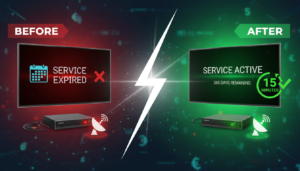
Renewing your satellite TV server doesn’t have to be a headache, even if you live in Nigeria where payment options differ from Europe or the Middle East. This guide walks you through every stage – from locating your receiver’s serial number to choosing a server, paying with a method that works locally, and fixing the most common post‑renewal hiccups.
1. Locate Your Receiver Serial Number
The first step is to identify the exact serial number of your satellite decoder. All major brands (Starsat, Tiger, Geant, GTMEDIA, etc.) display the serial on the back panel, inside the battery compartment, or in the system information menu (usually under Settings → System → About). Write it down exactly as it appears – letters are case‑sensitive.
Once you have the number, go to the check your device page on RENEW-FOREVER. Enter the serial and submit. The tool instantly tells you which servers (Apollo, VIP, GTMEDIA MARS, NASHARE, NETFLY, Funcam, Forever) are compatible with your box and the current expiration dates. No registration, no account, just a quick lookup.
2. Pick the Right Server and Decide How to Pay
After you know which servers your receiver supports, decide which one fits your channel preferences. Each server offers a slightly different channel lineup, so choose the one that matches the content you watch most often. The selection is made on the renewal page, where you also pick a duration from the options shown.
There are two payment routes:
- Crypto payment – Pay directly with USDT or other supported coins. This is the fastest way because the renewal is applied automatically once the transaction is confirmed.
- Local seller payment – If you prefer to pay in Naira, head to the marketplace. Here you will find independent sellers from Nigeria who accept bank transfers, mobile money (e.g., Paga, OPay), or other local methods. Choose a seller, note the payment instructions, and be ready to upload a proof of payment.
RENEW-FOREVER never handles cash, bank accounts, or direct local payments – the marketplace simply connects you with trusted sellers who manage the renewal on your behalf.
3. Complete the Renewal Process
If you pay with crypto, after selecting the server and duration, you will be shown a wallet address and the exact amount in the chosen coin. Transfer the funds, wait for the network confirmation (usually a few minutes), and the renewal will be linked to your serial automatically. No further action is required on the site.
If you use a local seller, follow these steps:
- Click the “Buy” button next to the seller’s offer.
- Copy the seller’s payment details (bank account, mobile money number, etc.).
- Make the payment using your preferred local method.
- Return to the marketplace page and upload the payment proof (screenshot or PDF).
- The seller reviews the proof, applies the renewal to your serial, and you receive a confirmation message.
Both paths end with the same result: your receiver’s expiration date is extended on the server you selected.
4. After Renewal – Restart and Troubleshoot
Once the renewal is confirmed, power off your decoder, wait a few seconds, and turn it back on while keeping it connected to the internet (Ethernet or Wi‑Fi). Most boxes will pull the new channel list within a couple of minutes.
If channels do not appear, try these quick checks:
- Ensure the internet connection is stable – a dropped Wi‑Fi signal is a common cause.
- Navigate to Settings → System → Reset and perform a soft reset (do not factory reset).
- Verify that the serial you entered matches the one shown on the box – a typo will prevent the server from recognizing the device.
Should the issue persist, open the live chat on RENEW-FOREVER’s website. Our support team can see your serial, the server you chose, and will guide you through any remaining steps.
FAQ
Can I renew my box if I don’t have an internet connection?
No. The renewal process requires the decoder to be online so the server can authenticate the serial number and push the updated channel list.
What if the seller on the marketplace does not respond after I upload payment proof?
If you do not receive a response, you can open a dispute through the marketplace interface or contact our live chat for assistance.
Do I need to reinstall the firmware after renewal?
Never. Renewal only updates the server subscription. Reinstalling firmware is unnecessary and can cause additional issues.